color palette
#282c34
#abb2bf
#61afef
preview
readme
One Dark Pro Theme for Omarchy

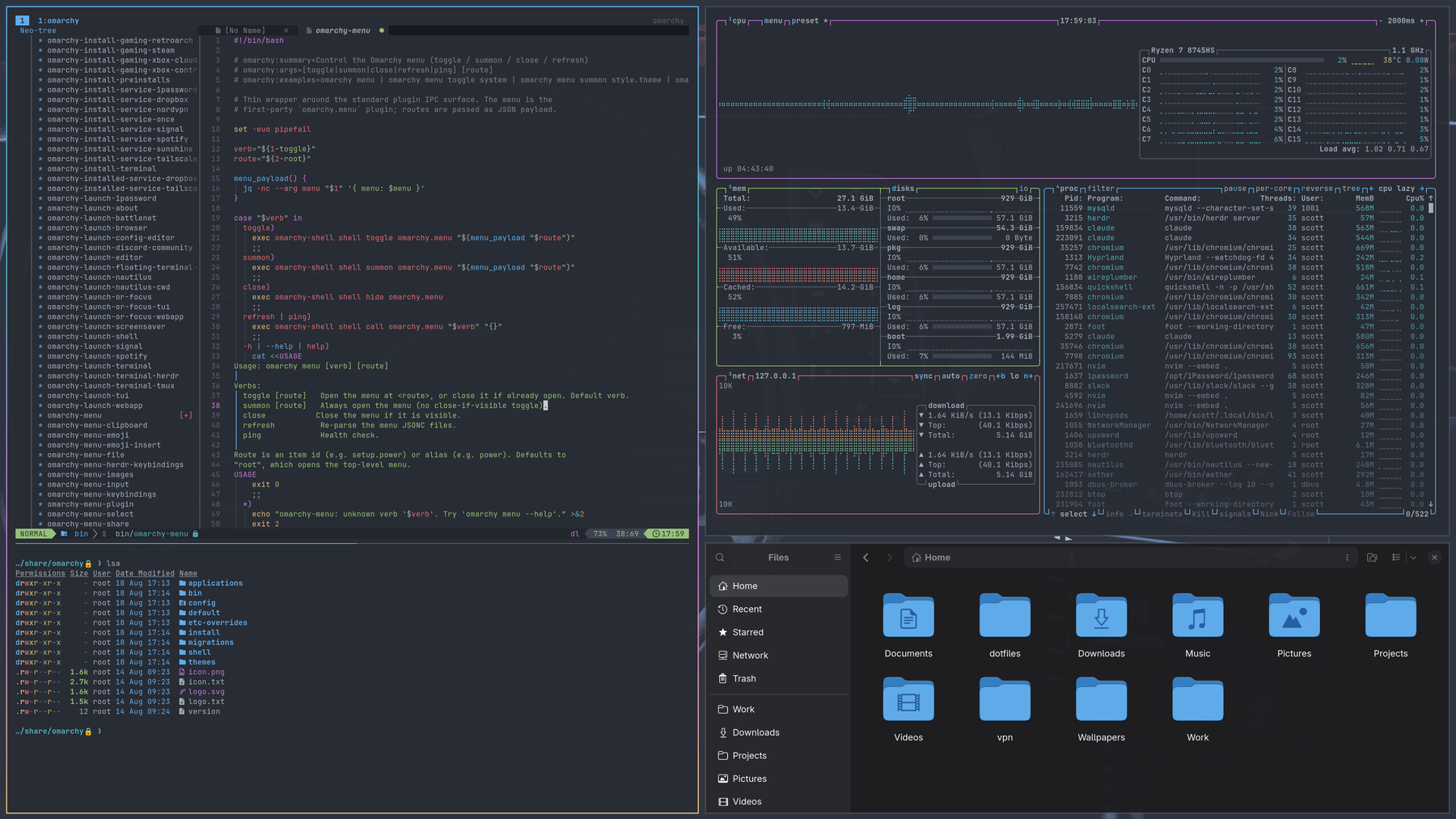
A One Dark Pro theme for Omarchy, inspired by the popular One Dark Pro editor color scheme.
Preview:
Prompt:
The Starship prompt is based off gruvbox-rainbow Preset. Currently you will need to copy starship.toml to your ~/.config folder.
Font:
I quite enjoy the SauceCodePro Nerd Font
Tmux:
There is also a One Dark Pro theme for Tmux, available at tmux-one-dark-pro
Requirements
Omarchy 4 (Quattro) or newer. The theme is defined by a single colors.toml
palette; Omarchy generates the per-app configs (Alacritty, Ghostty, Kitty,
Foot, btop, Helix, Chromium, VS Code, Obsidian, the Omarchy shell, and
Hyprland borders) from it at theme-set time.
Neovim is the exception: the theme ships its own neovim.lua pointing at
onedarkpro.nvim, the upstream
One Dark Pro port, rather than using the generated palette-driven default.
For Omarchy 3 and earlier, use the omarchy-3 branch.
Installation
omarchy theme install https://github.com/sc0ttman/omarchy-one-dark-pro-theme.gitThen:
omarchy theme set one-dark-proDimmed backdrop for modals (optional)
By default, snacks.nvim pickers open with no backdrop, so the rest of the
screen stays at full brightness. Every built-in picker layout hardcodes
backdrop = false (snacks/picker/config/layouts.lua), and LazyVim resolves
picker.layout through a function that returns one of those presets — so a
plain picker = { layout = { backdrop = 60 } } override never takes effect.
Override the presets instead. Add
~/.config/nvim/lua/plugins/snacks-backdrop.lua:
return {
  "folke/snacks.nvim",
  opts = {
    picker = {
      layouts = {
        default = { layout = { backdrop = 60 } },
        vertical = { layout = { backdrop = 60 } },
      },
    },
  },
}
backdrop is the opacity of the dim layer, 0-100. Lower is darker.
This requires an opaque editor. snacks skips the backdrop whenever
Normal has no background (snacks/util/init.lua: M.color("Normal", "bg") == nil), so a transparency script that clears Normal disables the dimming
entirely. You can have a transparent editor or the dimmed backdrop, not both.
Note this covers snacks pickers and snacks floats. Windows owned by other plugins (which-key, lazy.nvim, mason) draw their own floats and are unaffected.
Transparency (optional, mutually exclusive with the above)
The theme ships opaque by default: the editor sits on #282c34 and floats,
popups and pickers sit on #21252b, so modals read as raised panels.
If you want a transparent editor, add this to
~/.config/nvim/plugin/after/transparency.lua. It clears the editor surface
only and leaves floats alone — clearing NormalFloat and Pmenu too is what
makes modals look flat and washed out:
local groups = {
  "Normal",
  "NormalNC",
  "EndOfBuffer",
  "SignColumn",
  "LineNr",
  "CursorLineNr",
  "FoldColumn",
  "Folded",
  "MsgArea",
  "WinSeparator",

  -- Sidebars. Drop this block to keep the file tree opaque.
  "NeoTreeNormal",
  "NeoTreeNormalNC",
  "NeoTreeEndOfBuffer",
  "NeoTreeWinSeparator",
  "NvimTreeNormal",
  "NvimTreeEndOfBuffer",

  -- Deliberately NOT listed, so modals keep their contrast:
  --   NormalFloat, FloatBorder, FloatTitle, Pmenu, PmenuSel,
  --   WhichKeyFloat, TelescopeNormal, TelescopeBorder,
  --   SnacksPicker*, Notify*Body, Notify*Border
}

local function apply()
  for _, name in ipairs(groups) do
    local ok, hl = pcall(vim.api.nvim_get_hl, 0, { name = name, link = false })
    if ok and hl.bg then
      hl.bg = nil
      vim.api.nvim_set_hl(0, name, hl)
    end
  end
end

vim.api.nvim_create_autocmd("ColorScheme", {
  group = vim.api.nvim_create_augroup("user_transparency", { clear = true }),
  callback = apply,
})

apply()
Two things worth knowing:
- You lose the picker backdrop. snacks.nvim skips its screen-dimming scrim
whenever
Normalhas no background. With a transparent editor you see the terminal through the gap instead of a dim wash. You cannot have both. - Re-applying is handled. Omarchy re-sources this file after
omarchy theme set, and theColorSchemeautocmd covers any other colorscheme change.clear = truestops the autocmd stacking when the file is re-sourced.