color palette
background
#03192c
foreground
#7a8c91
accent
#268bd2
color0
#03192c
color1
#d8322f
color2
#809900
color3
#b38800
color4
#268bd2
color5
#d03682
color6
#2aa198
color7
#e9e2d0
color8
#5f6f74
color9
#d8322f
color10
#809900
color11
#b38800
color12
#268bd2
color13
#d03682
color14
#2aa198
color15
#fcf6e3
preview
~/night-cat
┌──────────────────────Hardware──────────────────────┐
PC: omarchy-host
│ ├: x86_64 (8 cores) @ 4.00 GHz
│ ├: Integrated Graphics
│ ├: 1920x1080 @ 60 Hz
│ ├: 120 / 500 GiB (24%)
│ ├: 8 / 16 GiB (50%)
└ └ : 0 / 4 GiB (0%)
└────────────────────────────────────────────────────┘
┌──────────────────────Software──────────────────────┐
OS: Omarchy 3.6.0
│ ├: master
│ ├: stable
│ ├: linux-arch
│ ├: Hyprland (Wayland)
│ ├: alacritty
│ ├: 1024 (pacman)
│ ├: Night Cat ●●●●●●●●
└ └: JetBrainsMono Nerd Font (9pt)
└────────────────────────────────────────────────────┘
┌─────────────────Age / Uptime / Update───────────────┐
OS Age: 0 days
Uptime: 2 hours, 13 mins
Update: Today
└────────────────────────────────────────────────────┘
user@omarchy:~ $
readme
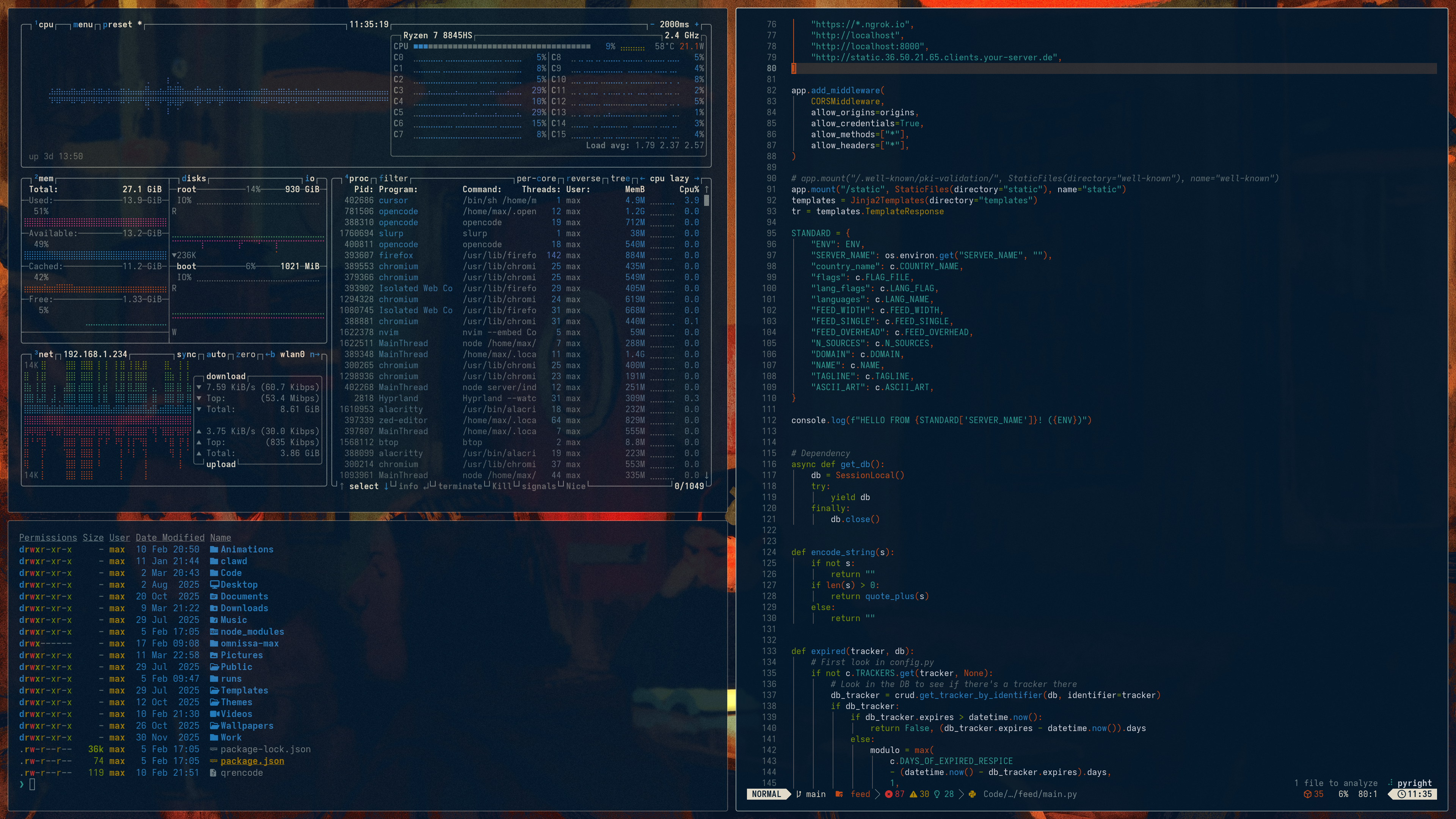
Omarchy Night Cat Theme
A theme system for Omarchy based on Solarized Osaka
🚀 Quick Start
Installation
Install this theme using the Omarchy TUI by selecting Themes > Install and copying the URL of this repo, or run:
omarchy-theme-install https://github.com/maxberggren/omarchy-night-cat-themeGTK-4.0 theme
./install_gtk_theme.shThis will copy the theme to ~/.config/gtk-4.0/gtk.css and restart Nautilus.
Chromium/Chrome/Brave/Vivaldi theme (manual install)
Steps:
- Open
chrome://extensions/ - Enable 'Developer mode'
- Click 'Load unpacked' and select the
chromium-themefolder inside this theme
To remove or disable, manage it from chrome://extensions/.