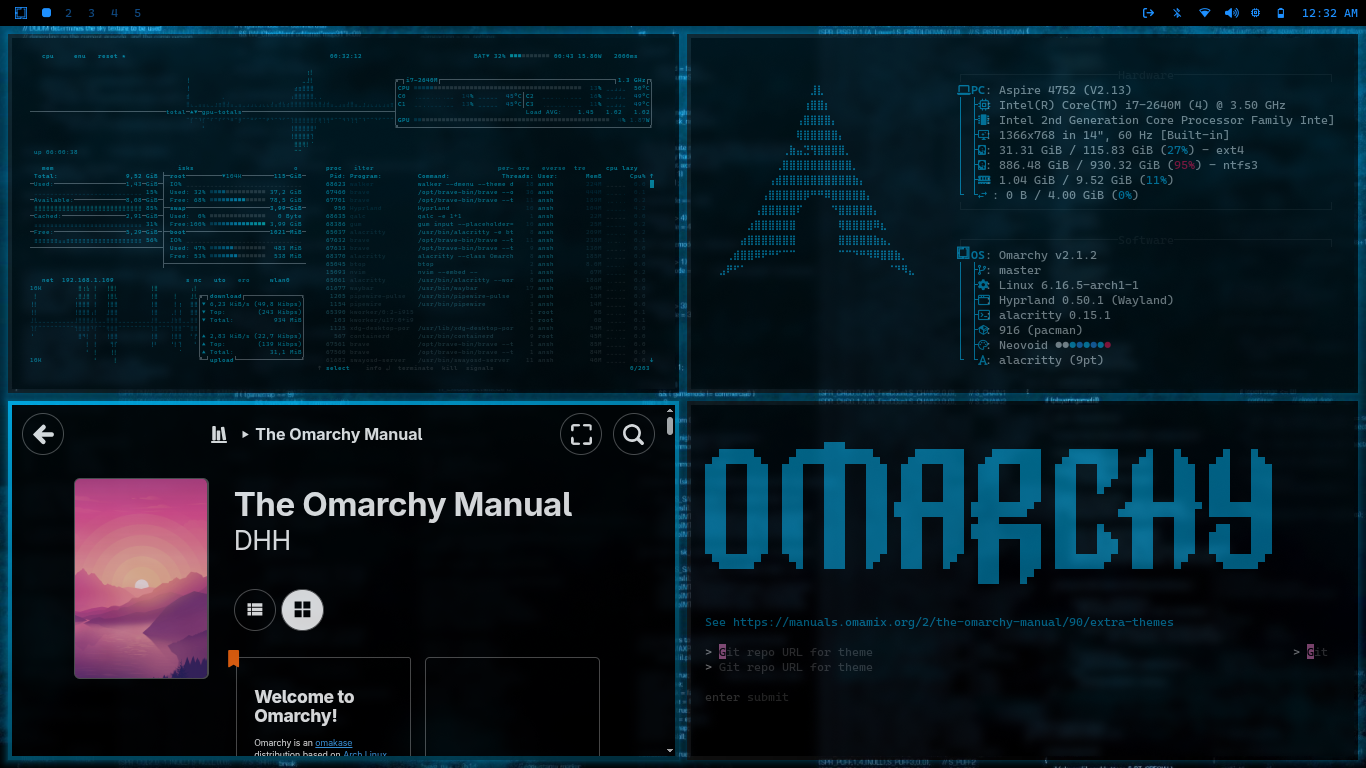
color palette
#000000
#E0E0E0
#00BFFF
#00BFFF
#333333
#000000
#FF0040
#00BFFF
#1E90FF
#00BFFF
#1E90FF
#00BFFF
#E0E0E0
#1A1A1A
#FF0040
#00BFFF
#1E90FF
#00BFFF
#1E90FF
#00BFFF
#FFFFFF
preview
readme
Neovoid Theme
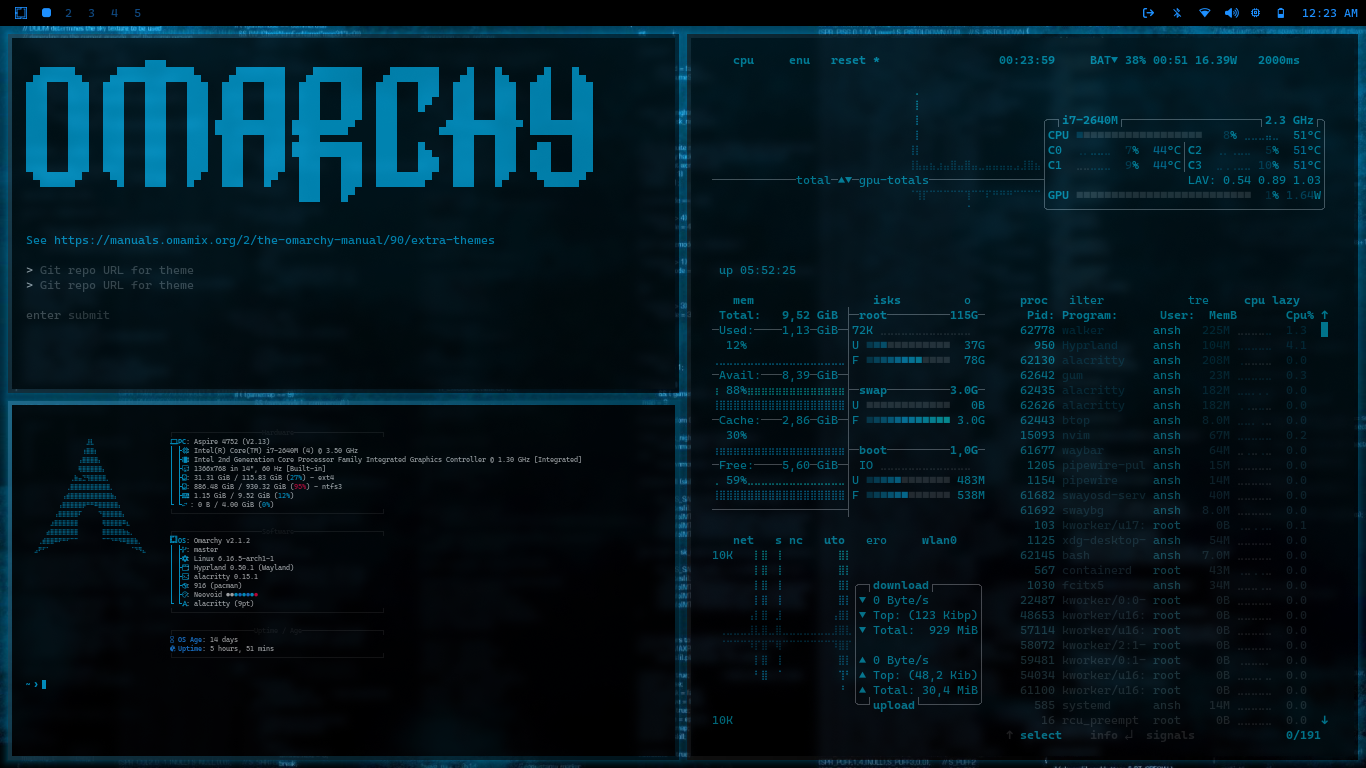
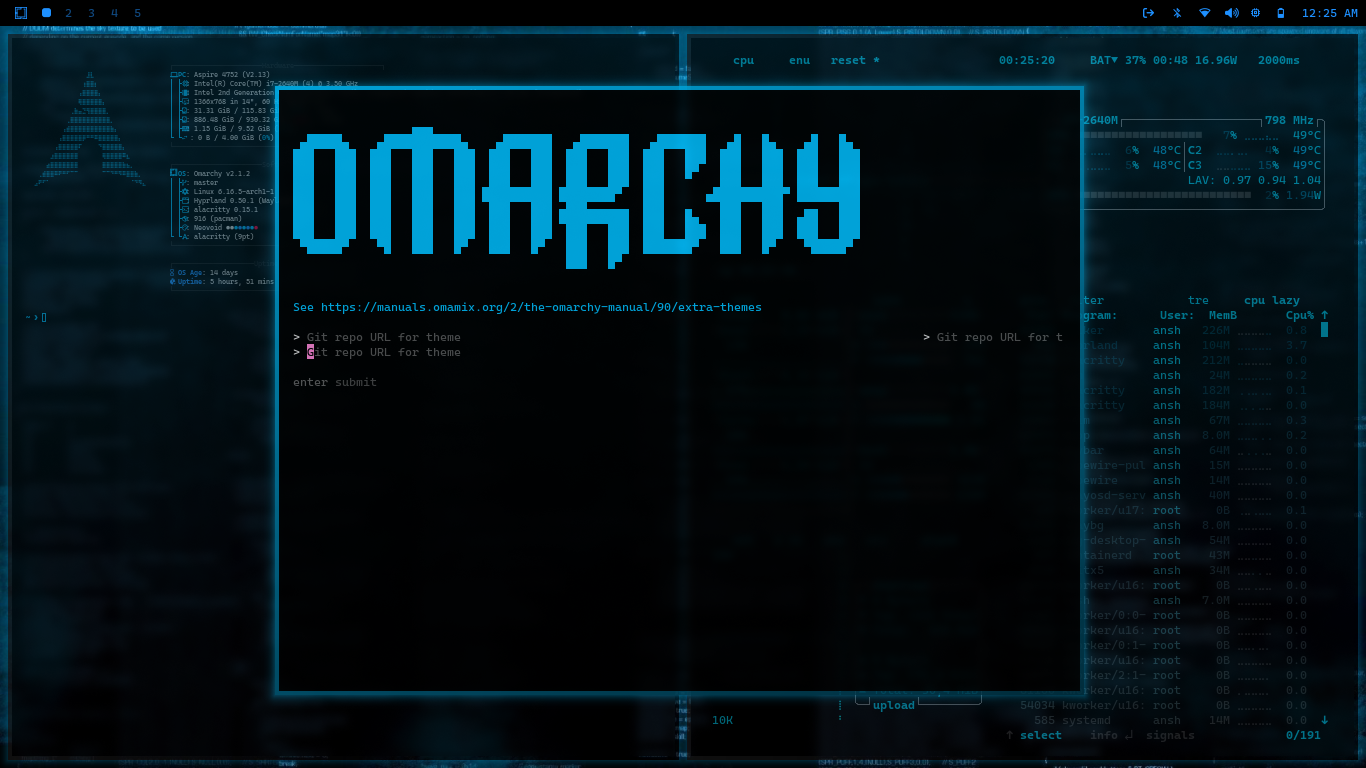
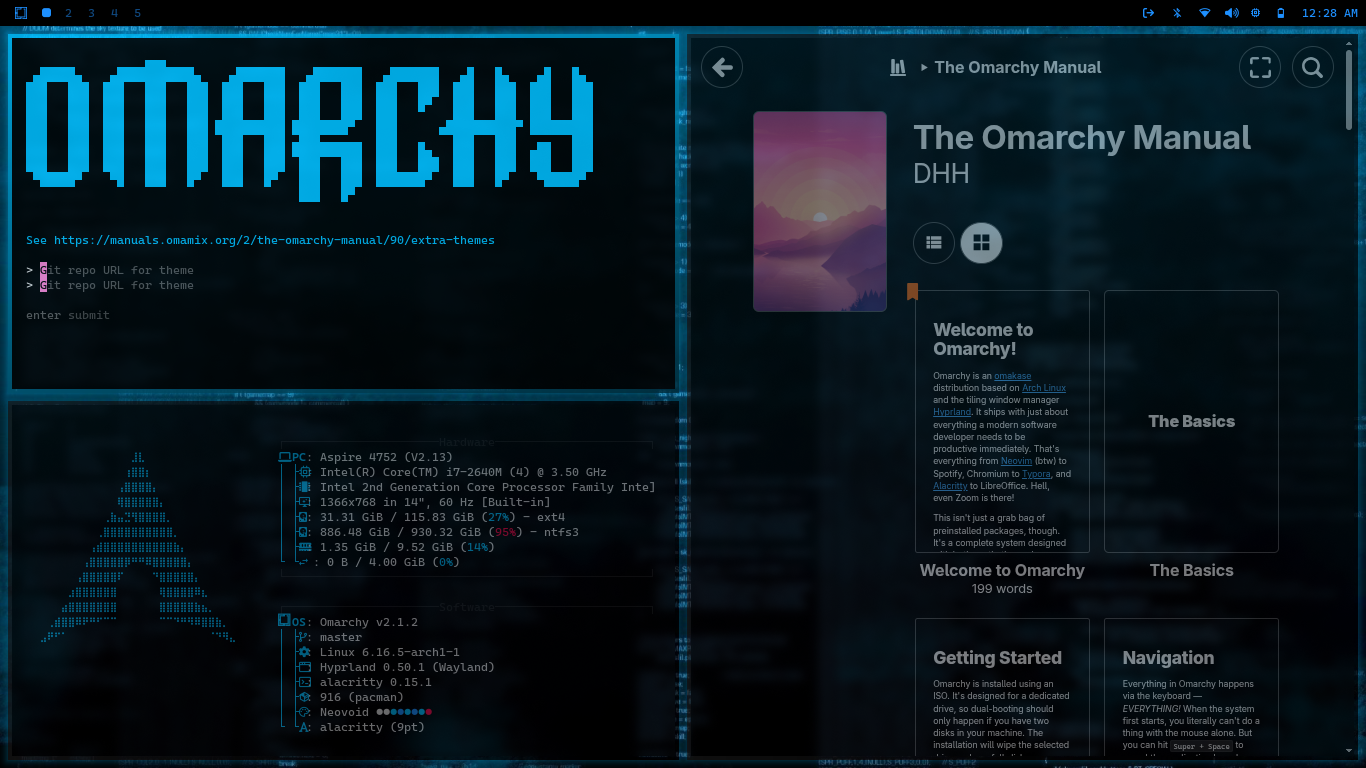
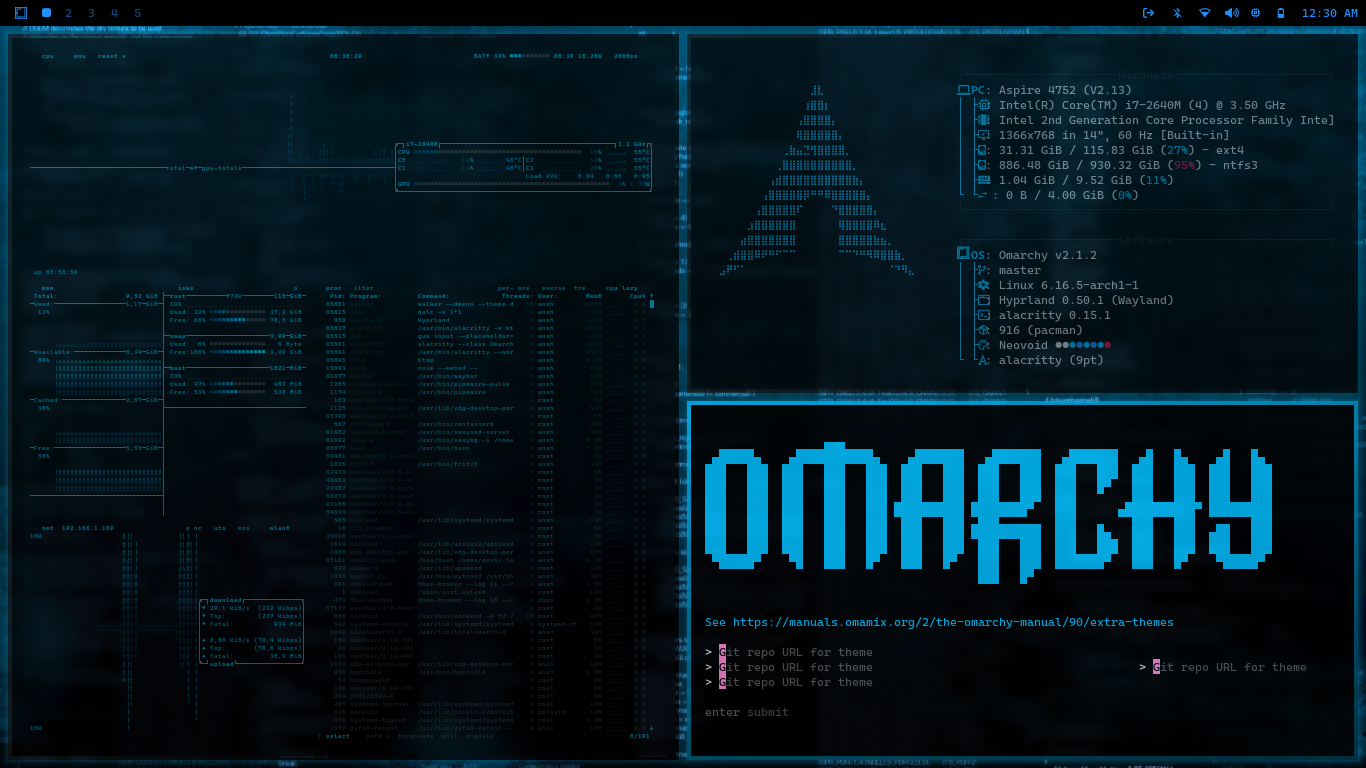
A dark, modern theme inspired by neon signals and futuristic cyber aesthetics. A pure black base is accented by icy whites and electric blues for a clean, high-contrast experience.
Theme Concept
Void & Focus: Minimal visual noise to emphasize content
Neon Accents: Vibrant electric blues on deep black backgrounds
Clarity in Darkness: Crisp white-blue text for excellent legibility
Color Palette Base Colors
Background: #000000 – True black
Foreground: #F0F6FF – Icy white-blue
Secondary Background: #0A0A0A – Very dark gray
Accent Colors
Primary: #1E90FF – Electric blue
Secondary: #00CFFF – Neon cyan-blue
Success: #33FFDD – Aqua-green
Warning: #3399FF – Soft azure
Error: #FF3366 – Vibrant crimson
Info: #66CCFF – Sky blue
Terminal Colors
Color Normal Bright Description Black #0A0A0A #333333 Deep black / muted gray Red #FF3366 #FF6688 Crimson / bright red-pink Green #33FFDD #66FFE6 Aqua / bright aqua Yellow #3399FF #66B3FF Azure / soft sky blue Blue #1E90FF #66B2FF Electric / vivid blue Magenta #00CFFF #33DDFF Neon cyan / bright cyan Cyan #66CCFF #99DDFF Cool sky blue / light blue White #F0F6FF #FFFFFF Icy white-blue / pure white
Features
Neon Borders: Clean electric blue borders around active windows
Glowing Highlights: Subtle neon glows for focus elements
High Contrast: Optimized for readability and visual comfort
Minimal Noise: Strips away distractions for a productivity-focused UI
Components Included
Terminal (Alacritty) – Icy white + blue accents
Window Manager (Hyprland) – Neon borders and smooth transitions
Status Bar (Waybar) – Minimal blue indicators
Notifications (Mako) – Blue border glow
App Launcher (Wofi/Walker) – Clean search with neon cyan focus
OSD (SwayOSD) – Blue progress bars
System Monitor (Btop) – Neon gradient meters
Lock Screen (Hyprlock) – Neovoid ASCII logo motif
Text Editor (Neovim) – Custom Neovoid colorscheme
Icons – Cool-toned dark icons
Installation
Install using Super + Alt + Space > Install > Theme > Style
omarchy-theme-install https://github.com/RiO7MAKK3R/omarchy-Neovoid-theme/OR
Copy this theme directory to your Omarchy config themes folder.
Suggested Font
Terminus Font — For a clean, pixel-precise, hacker aesthetic that complements the theme’s minimalism. Install with:
sudo pacman -S terminus-font
Wallpaper Suggestions
Look for images featuring:
Cyberpunk neon blue cityscapes
Abstract glowing grid lines on black
Minimal futuristic architecture silhouettes
Dark sci-fi tech environments
Notes
Optimized for low-light environments
Color choices emphasize focus and clarity
Some applications may need additional configuration for optimal appearance
Adjust border size for enhanced visuals
Previews