color palette
background
#181818
foreground
#e4e4ef
accent
#c9ab25
preview
~/gruberdark-tsoding
┌──────────────────────Hardware──────────────────────┐
PC: omarchy-host
│ ├: x86_64 (8 cores) @ 4.00 GHz
│ ├: Integrated Graphics
│ ├: 1920x1080 @ 60 Hz
│ ├: 120 / 500 GiB (24%)
│ ├: 8 / 16 GiB (50%)
└ └ : 0 / 4 GiB (0%)
└────────────────────────────────────────────────────┘
┌──────────────────────Software──────────────────────┐
OS: Omarchy 3.6.0
│ ├: master
│ ├: stable
│ ├: linux-arch
│ ├: Hyprland (Wayland)
│ ├: ghostty
│ ├: 1024 (pacman)
│ ├: Gruber Tsoding ●●●●●●●●
└ └: JetBrainsMono Nerd Font (9pt)
└────────────────────────────────────────────────────┘
┌─────────────────Age / Uptime / Update───────────────┐
OS Age: 0 days
Uptime: 2 hours, 13 mins
Update: Today
└────────────────────────────────────────────────────┘
user@omarchy:~ $
readme
Gruber Tsoding
A Gruber Darker-inspired Omarchy theme with a little Tsoding energy — updated for Omarchy Quattro.
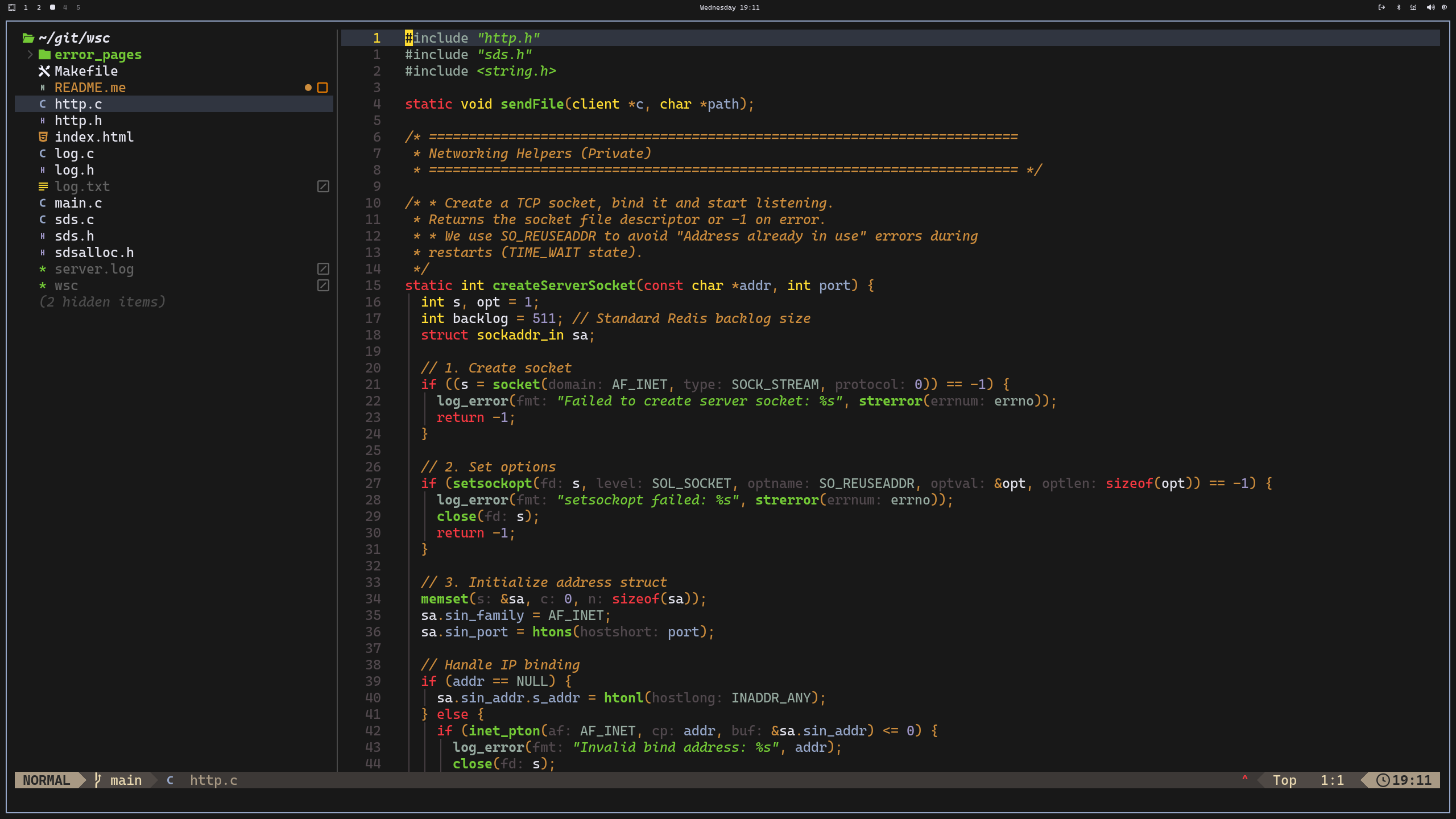
Deep charcoal surfaces, warm amber highlights, vivid terminal-green, and muted Niagara blues: a focused coding palette that stays easy on the eyes. This release is updated for Omarchy Quattro and uses its semantic colour roles.
What’s included
- Omarchy Quattro colour roles in
colors.toml - A matching Gruvbox/Gruber Darker Neovim configuration in
neovim.lua - btop colours in
btop.theme - Four hand-picked backgrounds in
backgrounds/
Install
Clone the theme into your local Omarchy themes directory, then apply it:
git clone https://github.com/davide-ferrara/omarchy-gruberdark-tsoding-theme.git ~/.config/omarchy/themes/gruber-tsoding
omarchy theme set gruber-tsoding
If the theme is already here, just run:
omarchy theme set gruber-tsodingPreview
preview.png is the same desktop screenshot shown above, ready for Omarchy’s
theme picker.
Palette
| Role | Colour |
|---|---|
| Background | #181818 |
| Foreground | #e4e4ef |
| Amber accent | #c9ab25 |
| Green | #73c936 |
| Blue | #96a6c8 |
| Red | #c73c3f |
Built for Omarchy.