color palette
background
#eeeeee
foreground
#444444
accent
#0087af
cursor
#444444
selection background
#bcbcbc
selection foreground
#444444
color0
#eeeeee
color1
#af0000
color2
#008700
color3
#5f8700
color4
#0087af
color5
#878787
color6
#005f87
color7
#444444
color8
#bcbcbc
color9
#d70000
color10
#d70087
color11
#8700af
color12
#d75f00
color13
#d75f00
color14
#005faf
color15
#005f87
preview
~/corporate
┌──────────────────────Hardware──────────────────────┐
PC: omarchy-host
│ ├: x86_64 (8 cores) @ 4.00 GHz
│ ├: Integrated Graphics
│ ├: 1920x1080 @ 60 Hz
│ ├: 120 / 500 GiB (24%)
│ ├: 8 / 16 GiB (50%)
└ └ : 0 / 4 GiB (0%)
└────────────────────────────────────────────────────┘
┌──────────────────────Software──────────────────────┐
OS: Omarchy 3.6.0
│ ├: master
│ ├: stable
│ ├: linux-arch
│ ├: Hyprland (Wayland)
│ ├: ghostty
│ ├: 1024 (pacman)
│ ├: Corporate ●●●●●●●●
└ └: JetBrainsMono Nerd Font (9pt)
└────────────────────────────────────────────────────┘
┌─────────────────Age / Uptime / Update───────────────┐
OS Age: 0 days
Uptime: 2 hours, 13 mins
Update: Today
└────────────────────────────────────────────────────┘
user@omarchy:~ $
readme
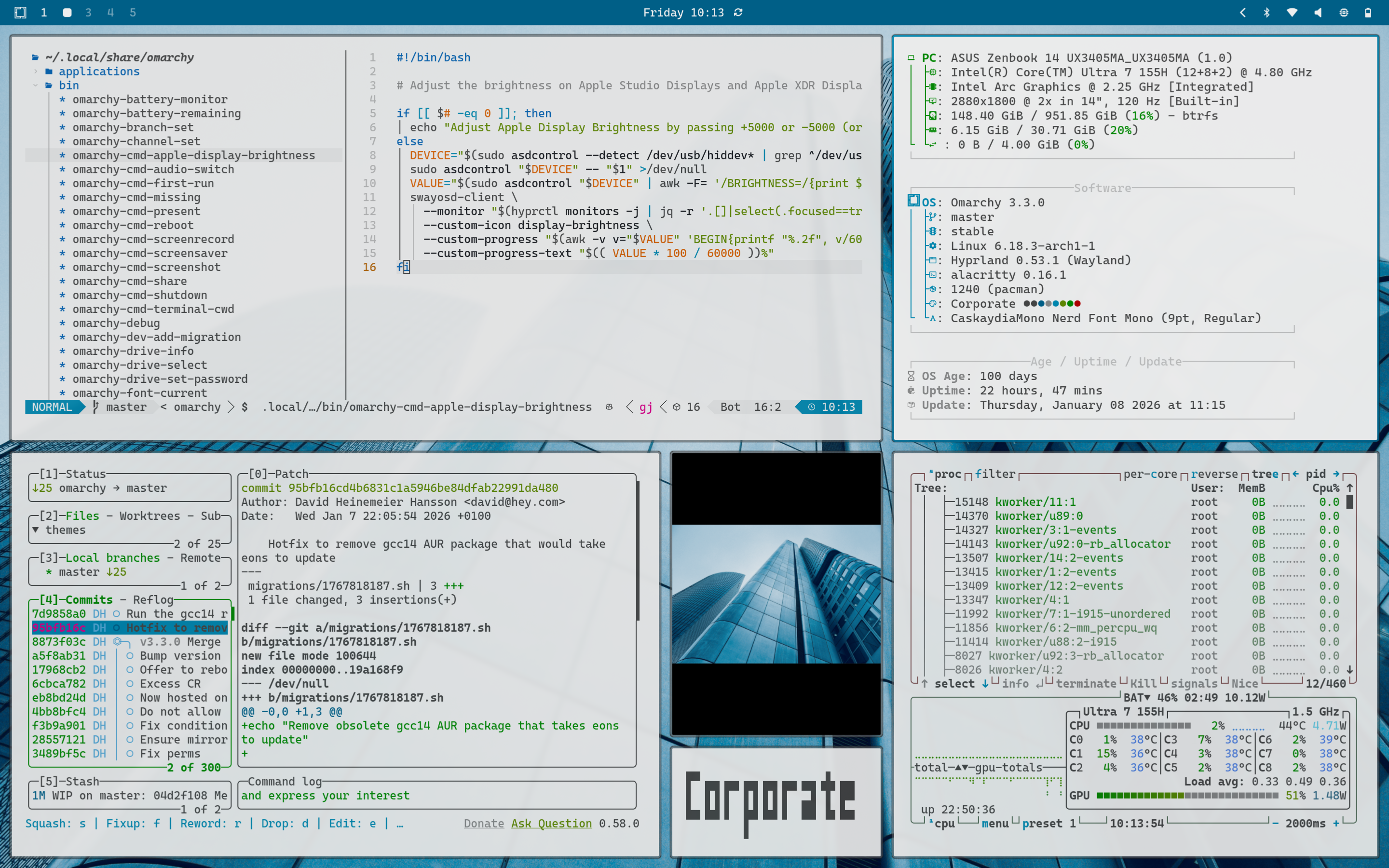
Corporate
A theme you can bring into a corporate environment without raising eyebrows.
Based on the light variant of the excelent PaperColor neovim theme by @NLKNguyen
Installation
omarchy-theme-install https://github.com/defer/omarchy-corporate-theme.git
Or, via walker:
SUPER+ALT+SPACE, Install > Style > Theme- Paste
https://github.com/defer/omarchy-corporate-theme.git - Return