color palette
#122738
#ffffff
#ffc600
#ffc600
#0050A4
#ffffff
#000000
#ff628c
#3ad900
#ffc600
#0088ff
#fb94ff
#80fcff
#ffffff
#0050A4
#ff628c
#3ad900
#ffc600
#0088ff
#fb94ff
#80fcff
#ffffff
preview
readme
Cobalt2 Theme for Omarchy
This is the Cobalt2 Theme for Omarchy.org, providing a vibrant, developer-focused configuration set for your Linux desktop environment.
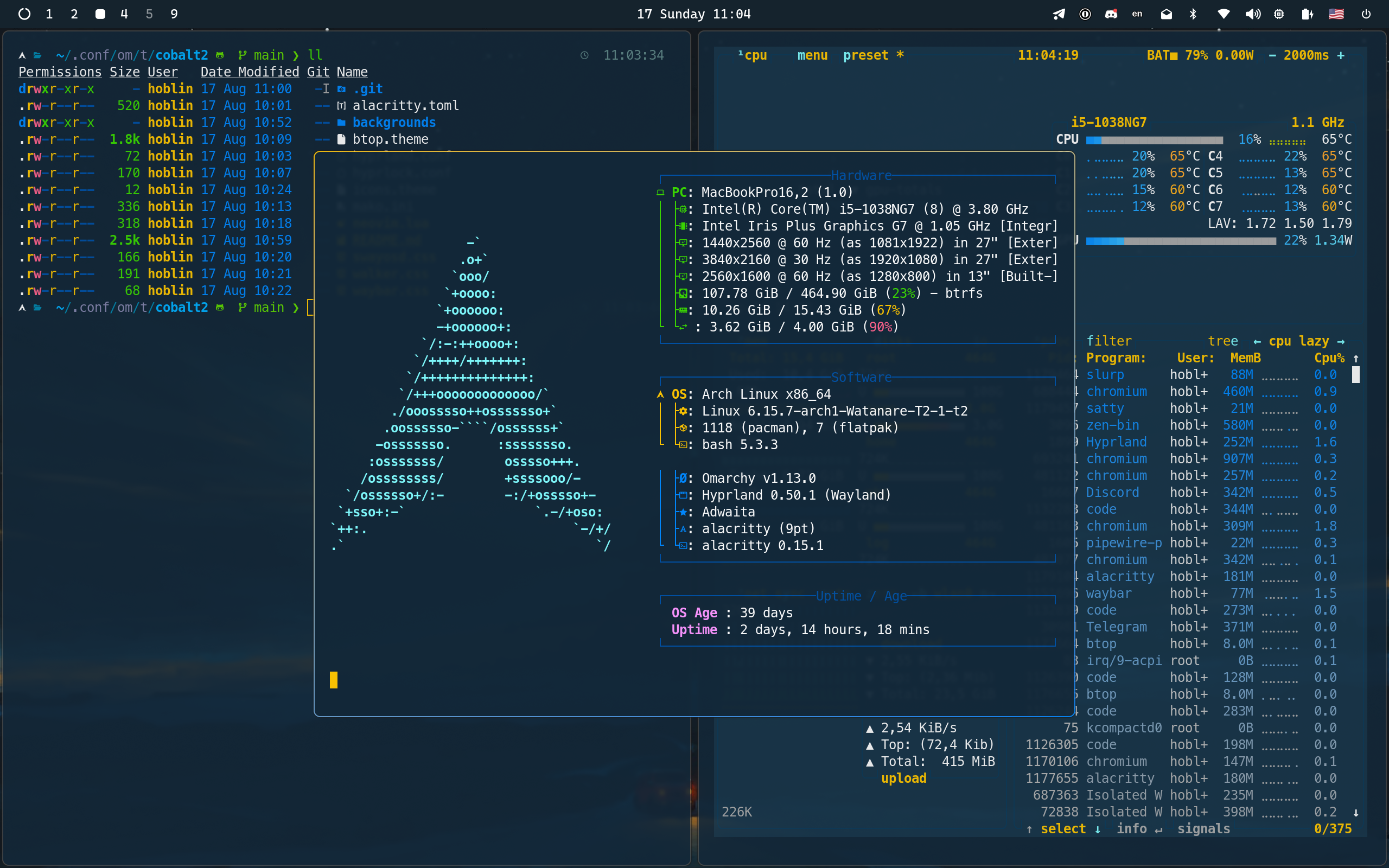
Deep blue depths where code comes alive,
Golden highlights make syntax thrive.
In shadows of cobalt, thoughts take flight—
Where darkness meets brilliance, day turns to night.
The coder's canvas, both bold and true,
Where yellow sparks dance in oceans of blue.
Installation
To install this theme, simply use the omarchy-theme-install command:
omarchy-theme-install https://github.com/hoblin/omarchy-cobalt2-themeAlternatively, you can install it via the Omarchy TUI:
- Press
Super + Alt + Spaceto open the Omarchy menu - Select
Install > Style > Theme - Paste the repository URL:
https://github.com/hoblin/omarchy-cobalt2-theme
Once installed, press Super + Ctrl + Shift + Space, select "Cobalt2" and everything should refresh automatically.
What's Included
This theme provides cohesive styling for all Omarchy components:
- Alacritty (
alacritty.toml) - Terminal with deep blue background and golden cursor - Ghostty (
ghostty.conf) - Modern terminal with full Cobalt2 color palette - Kitty (
kitty.conf) - GPU-accelerated terminal with golden tabs and borders - btop (
btop.theme) - System monitor with vibrant Cobalt2 color gradients - Hyprland (
hyprland.conf,hyprlock.conf) - Window manager and lock screen styling - Mako (
mako.ini) - Notification daemon with signature yellow borders - Neovim (
neovim.lua) - Full Cobalt2 colorscheme integration via cobalt2.nvim - Obsidian (
obsidian.css) - Note-taking app with Cobalt2 styling - VS Code (
vscode.json) - Automatic theme switching to official Cobalt2 extension - Waybar (
waybar.css) - Status bar theming - Walker (
walker.css) - Application launcher styling - SwayOSD (
swayosd.css) - On-screen display overlays - Chromium (
chromium.theme) - Browser theming with deep blue frame - Icon Theme (
icons.theme) - Yaru-yellow icon set for file manager - Backgrounds - Curated wallpapers that complement the Cobalt2 aesthetic
Theme Colors
The Cobalt2 theme is built around these signature colors:
- Primary Background:
#193549(Deep Blue) - Secondary Background:
#122738(Darker Blue) - Accent:
#ffc600(Bright Yellow/Gold) - Text:
#ffffff(Pure White) - Syntax Highlights: Various blues, cyans, oranges, and pinks for rich code highlighting
Credits
This theme is inspired by the iconic Cobalt2 theme originally created by Wes Bos for VSCode. The Neovim integration uses the cobalt2.nvim plugin. Background wallpapers are sourced from the curated collection at dharmx/walls.
Created with ❤️ by hoblin for the Omarchy community.
License
This theme is open-source and available under the MIT License.