color palette
background
#121212
foreground
#ded3d3
accent
#940404
cursor
#ded3d3
selection background
#ce5757
selection foreground
#121212
color0
#121212
color1
#450404
color2
#630a0a
color3
#cc7a7a
color4
#ce5757
color5
#c87777
color6
#d48484
color7
#d1c7c7
color8
#b89494
color9
#9c0909
color10
#9f1d1d
color11
#e7baba
color12
#e96565
color13
#e28585
color14
#eb9696
color15
#ded3d3
preview
~/brutalism
┌──────────────────────Hardware──────────────────────┐
PC: omarchy-host
│ ├: x86_64 (8 cores) @ 4.00 GHz
│ ├: Integrated Graphics
│ ├: 1920x1080 @ 60 Hz
│ ├: 120 / 500 GiB (24%)
│ ├: 8 / 16 GiB (50%)
└ └ : 0 / 4 GiB (0%)
└────────────────────────────────────────────────────┘
┌──────────────────────Software──────────────────────┐
OS: Omarchy 3.6.0
│ ├: master
│ ├: stable
│ ├: linux-arch
│ ├: Hyprland (Wayland)
│ ├: ghostty
│ ├: 1024 (pacman)
│ ├: Brutalism ●●●●●●●●
└ └: JetBrainsMono Nerd Font (9pt)
└────────────────────────────────────────────────────┘
┌─────────────────Age / Uptime / Update───────────────┐
OS Age: 0 days
Uptime: 2 hours, 13 mins
Update: Today
└────────────────────────────────────────────────────┘
user@omarchy:~ $
readme
Omarchy Brutalism Theme
This is a custom theme for Omarchy.org that is inspired by earthy tones and brutalism architecture.
Brutalism is often misunderstood as a celebration of the "ugly" or the "harsh," but for those that look closer, it is about honesty and idealism. Brutalism is an architecture of truth, stripping away the decorative masks of the past to reveal the strength of the soul beneath.
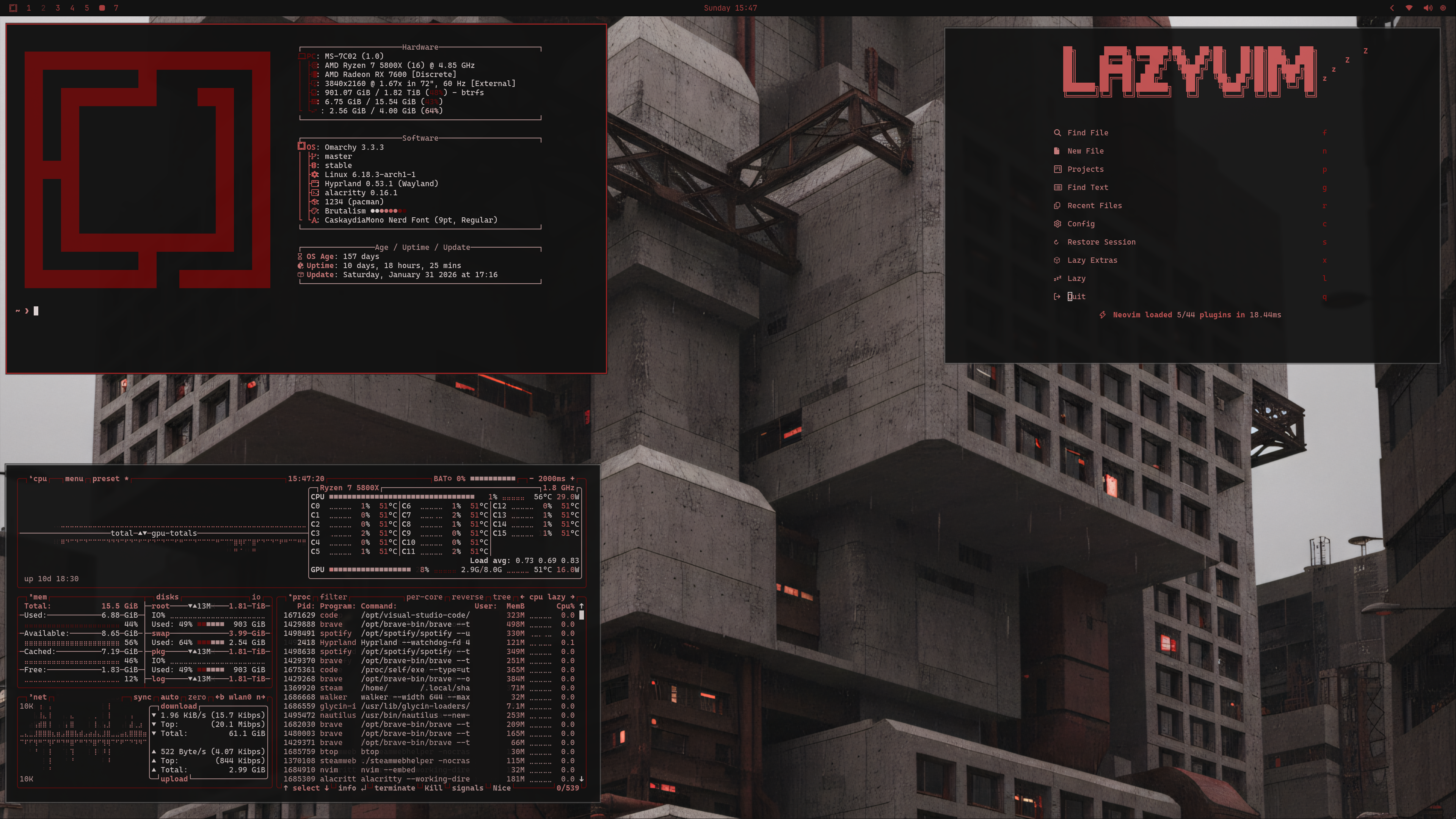
Installation
To install this theme, simply use the omarchy-theme-install command:
omarchy-theme-install https://github.com/bjornramberg/omarchy-brutalism-themeIncluded Configurations
This theme includes configurations for:
- Alacritty (alacritty.toml) - Terminal emulator
- btop (btop.theme) - System resource monitor
- Chromium (chromium.theme) - Chromium-based browsers
- Color Palette (colors.toml) - Base color definitions for the theme
- Ghostty (ghostty.conf) - Terminal emulator
- Hyprland (hyprland.conf) - Wayland compositor
- Hyprlock (hyprlock.conf) - Screen locker for Hyprland
- Icons (icons.theme) - System icon theme
- Kitty (kitty.conf) - Terminal emulator
- Mako (mako.ini) - Notification daemon for Wayland
- Neovim (neovim.lua) - Text editor
- SwayOSD (swayosd.css) - On-screen display for volume/brightness
- Walker (walker.css) - Application launcher
- Warp (warp.yaml) - Terminal emulator
- Waybar (waybar.css) - Status bar for Wayland
- Wofi (wofi.css) - Application launcher for Wayland
- Zed (aether.zed.json, aether.override.css) - Code editor
Included backgrounds
AI disclosure: AI was used in the creation of the background pictures for this theme.